
Fill your tables before you open the door.
List your venue, take reservations paid up front, and cut no-shows. You set the fee.
What we fix
The night organises itself.
- Empty tables from no-shows
- Reservations lost in WhatsApp
- The same table booked twice
- No record of who came in
The guest reserves their table and pays the reservation fee by QR before leaving home. That fee is what holds the booking: whoever paid turns up, and if they do not, the table is released with one tap. Everything they drink is still paid at your venue, as always.
Everything that's included
From the floor plan to the door.
Before the night
List your venue in 4 steps
Details, location and photos, floor plan, and reservation setup.
Draw your floor plan
Reservable tables, the bar and the booth, dragged into place.
Set your schedule once
The calendar generates 90 days of bookable nights automatically.
You set the fee
The reservation fee is configured per venue — we do not set it for you.
During the night
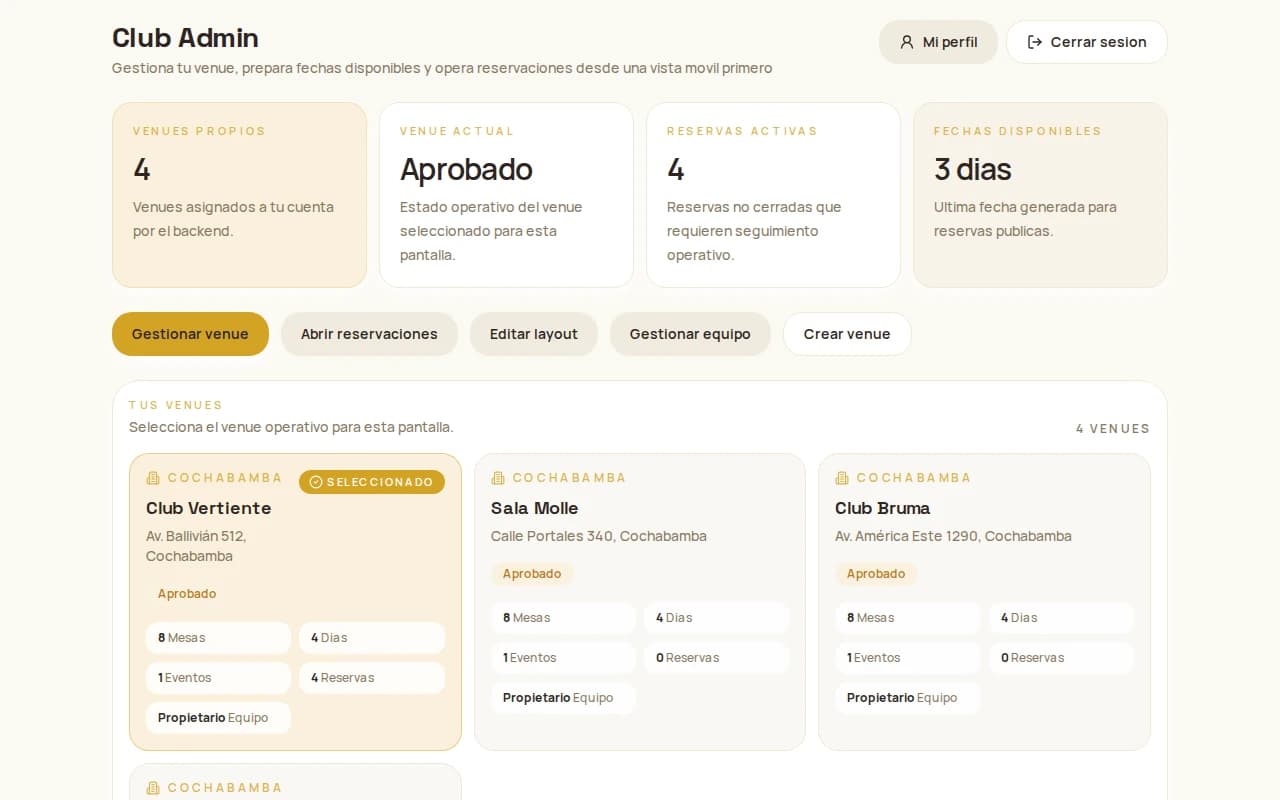
Tonight's dashboard
Today's reservations, occupancy and calendar warnings on one screen.
Reservation list and detail
Filter the list and open any reservation to see the detail.
Scan the QR at the door
With the camera, or by typing the code by hand if you need to.
Mark a no-show
The table becomes available again automatically.
Your team
Invite your team
Managers and operators, each scoped to their own venue.
Several venues, one account
Switch venues from the picker, without signing out.
Direct support
A support inbox with the platform, from your own panel.
How we start
Four steps and you're live.
You get in touch
Fill in the form below, or message us on WhatsApp.
We create your account
We give you administrator access and walk you through the 4-step setup wizard.
We review and publish
We check everything is right and your venue goes live in the app.
Reservations start arriving
They land in your dashboard, and you validate each one at the door.
We'll walk you through the terms when we talk.
How the money works
One reservation fee, and the rest is yours.
The guest pays a reservation fee by QR when they book. That fee is for the reservation only: what they drink on the night is paid at your venue, as always.
The platform keeps its commission on that fee and transfers your share according to the commercial agreement. We'll walk you through the terms when we talk.
If the guest cancels
Up to 1 hour before the event they get 60% of the fee back. After that there is no refund, and the table is released for you to sell again.
Let's talk
Tell us about your venue.
Leave us your details and we will get in touch to arrange listing it. No commitment.
Or message us directly
If you would rather talk now, message us on WhatsApp and we will reply during office hours.
+591 75137419
Questions
What venues ask.
What does it cost to list?
We'll walk you through the terms when we talk. Get in touch and we'll work out what makes sense for your venue.
How do I receive the reservation money?
The guest pays the reservation fee by QR. The platform keeps its commission and transfers your share according to the commercial agreement. What they drink on the night you charge yourself, at the venue, as always.
Can I have several venues?
Yes. One account manages several venues and you switch between them from the picker, without signing out.
Does my staff need my password?
No. You invite your team by email as a manager or an operator, and each of them signs in with their own account and only sees the venue you assigned them.
What happens if a guest never arrives?
You mark them as a no-show from the dashboard and the table becomes available again immediately. The reservation fee is not refunded.